


A lone worker app turns a phone your team already carries into a way to raise the alarm. Most include a panic button, timed check-ins, GPS location and fall detection. The real difference between providers is not the feature list, it is where an alarm actually goes when someone presses the button, and how quickly a trained person acts on it.
This guide compares eight lone worker apps available to UK organisations. For each one you will find what it does well, what to check before you commit, and the kind of team it suits. There is a comparison table first if you want the short version.
Lone worker apps at a glance
| Provider | App and device? | How alarms are monitored | BS 8484:2022 | Best suited to |
|---|---|---|---|---|
| Vatix | Both | UK accredited Alarm Receiving Centres, 24/7 | Accredited | Teams who want lone worker cover alongside wider safety management |
| StaySafe (EcoOnline) | App only | In-house escalation, with ARC monitoring available | Accredited | International teams and work in low-signal or satellite areas |
| Peoplesafe | Both | Own Category 1 ARC, 24/7 | Accredited | Large rollouts wanting one supplier across apps and devices |
| SoloProtect | Both | Own ARC in Sheffield, 24/7 | Accredited | Discreet wearable devices with the app as a second channel |
| Safepoint | Both | ARC via ADT, or self-monitored | Accredited | Smaller teams wanting strong in-app team visibility |
| LONEALERT | Both | Linked ARC | Accredited (SSAIB) | Configurable portal and specialist or ATEX hardware |
| Mitti (formerly SafetyCulture) | App only | Alerts route to your nominated contacts | Not stated | Existing Mitti users adding lone worker cover |
| OK Alone | App only | Nominated contacts, with optional monitoring | Not stated | Fast self-serve rollout for smaller teams |
The monitoring column is the one that matters most, and the next section explains why.
What to look for in a lone worker app
Where the alarm goes
Every app on this list can raise an alarm. What differs is what happens next. With an accredited Alarm Receiving Centre, a trained operator answers within seconds, assesses the situation, listens in where the product supports it, and escalates to the emergency services. With internal escalation, the alert goes to managers or colleagues you nominate, and it is your own people who decide what to do.
Both models are legitimate. ARC monitoring costs more and works around the clock without depending on anyone in your organisation being awake and available. Internal escalation is cheaper and can work well where the main risk is an accident somewhere quiet and there is always a manager on shift. The wrong choice is picking internal escalation because it is cheaper, and then discovering nobody was watching at 9pm on a Sunday.
BS 8484:2022 and police response
BS 8484 is the British Standard for lone worker services, and the 2022 revision is current. It matters for one concrete reason: it is what makes URN escalation possible.
A Unique Reference Number allows an accredited ARC to pass a verified alarm straight into a police control room rather than dialling 999. In a genuine emergency that is the difference the standard buys you. If your risk assessment identifies violence or aggression as a credible risk, this should be near the top of your requirements. If your workers are mainly exposed to accident risk, it may matter less than coverage or ease of use.
One thing worth knowing when you compare certificates: accreditation is scoped. A provider can certify its app, its platform or its Alarm Receiving Centre separately, so "BS 8484 accredited" in a headline does not tell you which parts were assessed. Ask to see the certificate and check what it covers. Where a provider partners with a third-party ARC rather than running its own, the accreditation behind your escalation belongs to that partner.
The practical questions
- What happens with no signal? Ask whether the app holds and forwards an alarm raised without coverage, whether a roaming or multi-network SIM is available, and whether there is a satellite option. This matters in basements, rural areas and steel-framed buildings.
- Is the alarm discreet? In customer-facing roles, an alarm someone can see being raised is a liability. Check whether it can be triggered from a locked phone or a paired button.
- Does fall detection work from the phone? Some providers need a paired wearable for it. Others include it in the app.
- Which features are included, and which are extra? Fall detection, roaming SIMs, activity timers and check-ins are frequently priced separately. Build a quote around what your risk assessment actually calls for.
- Will people use it? Check-in features only work if staff engage with them, so factor in training and follow-up rather than assuming rollout is the finish line.
The eight lone worker apps
1. Vatix
Overview
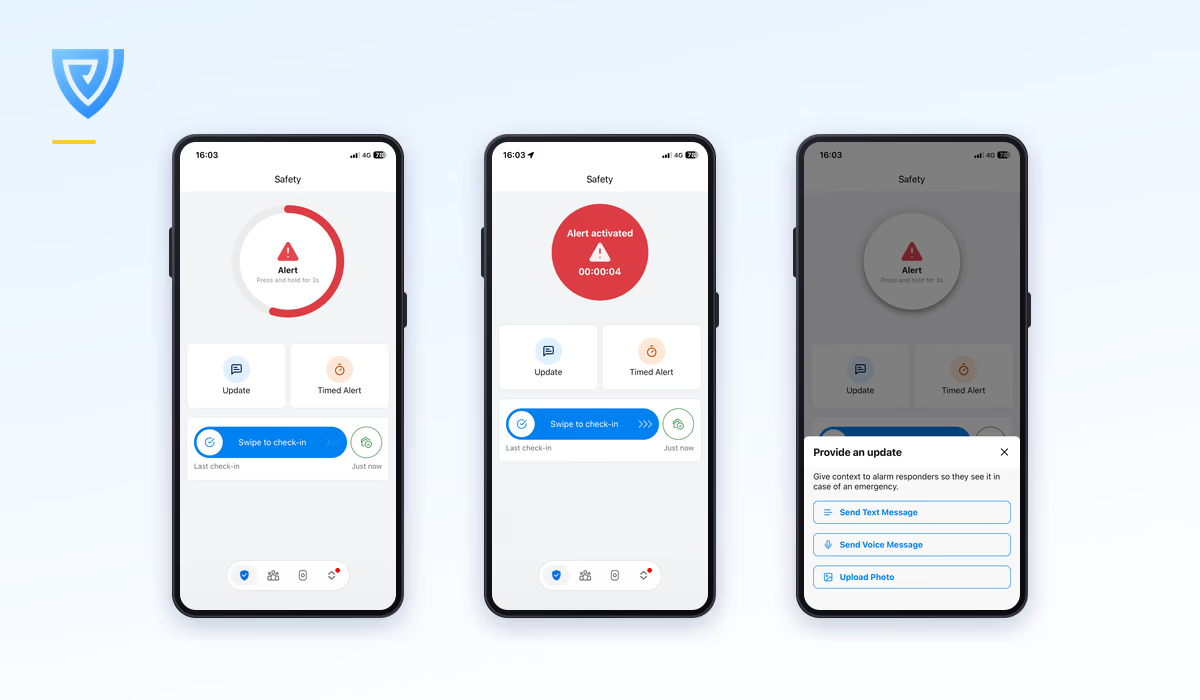
Vatix provides a lone worker app and a separate Safe Pro device, both monitored around the clock by UK-based Alarm Receiving Centres accredited to BS 8484:2022 and staffed by trained alarm controllers. Both are managed from the same platform that handles incident reporting, audits and risk, so lone worker alarms sit in the same record as the rest of your safety data.
Strengths
- Fall detection, 24/7 accredited monitoring, GPS and Wi-Fi location and the management portal are all included with an app licence rather than charged as extras.
- BS 8484:2022 accredited with an accredited ARC, so URN escalation to police control rooms is available.
- Timed work sessions, check-ins and HomeSafe, with the ability to attach notes, voice memos and images so an alarm reaches the ARC with context.
- Pricing is published openly rather than quoted only on request, and unlimited manager users are included at no extra charge.
- The same platform covers incident reporting, audits, risk and document management if you want it, so lone worker cover does not need to be a separate system.
What to check
Decide whether you want the wider platform or just lone worker cover, since that changes which plan fits. If you need devices as well as app licences, price both together, and note that fall detection is an add-on on devices while it is included on app licences.
Best for
Organisations that want accredited lone worker protection with the option of managing incidents, audits and risk in the same place.
2. StaySafe (EcoOnline)
Overview
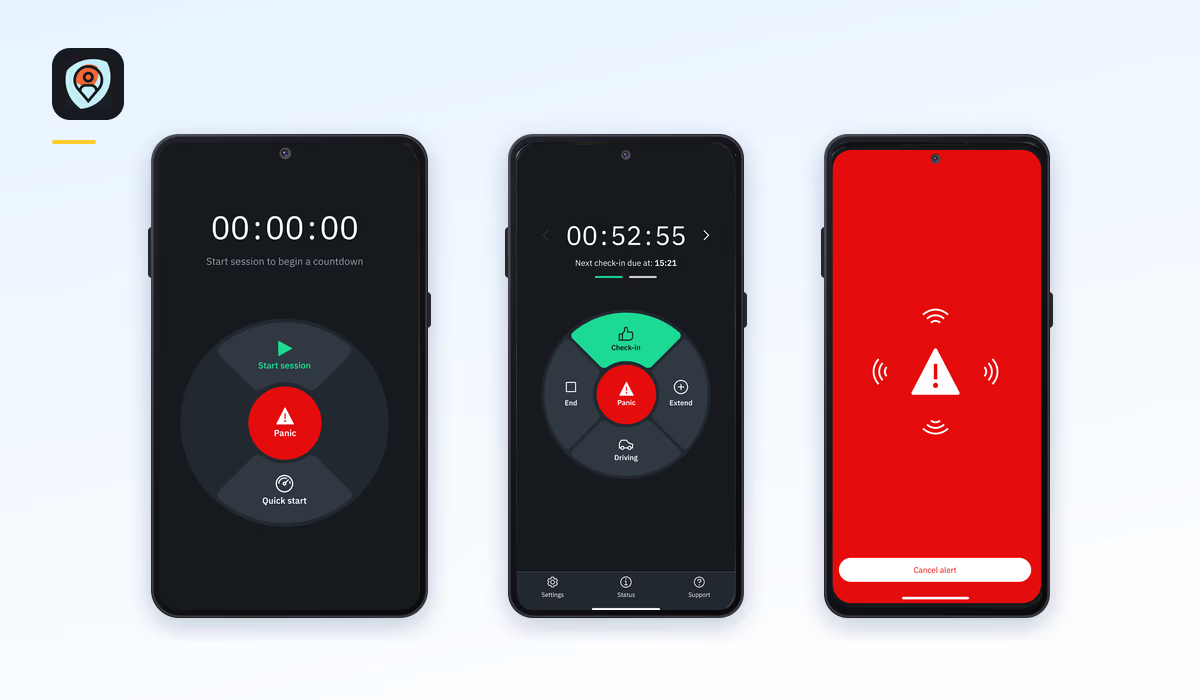
StaySafe launched in 2011 as one of the original app-first lone worker providers and is now part of EcoOnline. It offers timed sessions, manual check-ins, GPS location, a driving mode and satellite functionality, with coverage across international teams.
Strengths
- Genuinely app-first, which suits organisations deploying to phones staff already carry rather than buying hardware.
- Satellite functionality is available, which matters for genuinely remote work where cellular coverage runs out.
- Driving mode is a real differentiator for teams who spend most of the day on the road.
- Flexible escalation: some customers route alerts to their own managers, others use full ARC monitoring.
- Publishes detailed volume-banded pricing, which is unusual in this market.
What to check
Confirm whether ARC monitoring is included in the quote you are given or added on top, since the two models are priced differently. Ask what the contract term is, because rates move significantly with length, and check whether onboarding is charged separately. Fall detection needs a paired wearable, so confirm that if you need it. There is no dedicated device option, so a hybrid app-and-device rollout is not possible.
Best for
International teams, drivers, and work in low-signal or satellite territory.
3. Peoplesafe
Overview
Peoplesafe brought together several formerly independent providers, including Skyguard, Guardian24, Alertcom and Safe Shores Monitoring, under one brand. It runs its own purpose-built Alarm Receiving Centre and states that it protects the largest share of UK public sector lone workers.
Strengths
- Unusually well-documented accreditation: BS 8484:2022, BS EN 50518:2019, BS 9518:2021, ISO 27001, Cyber Essentials Plus and Secured by Design.
- Runs its own Category 1 ARC rather than partnering, with URN police escalation and a stated average time to answer of four seconds.
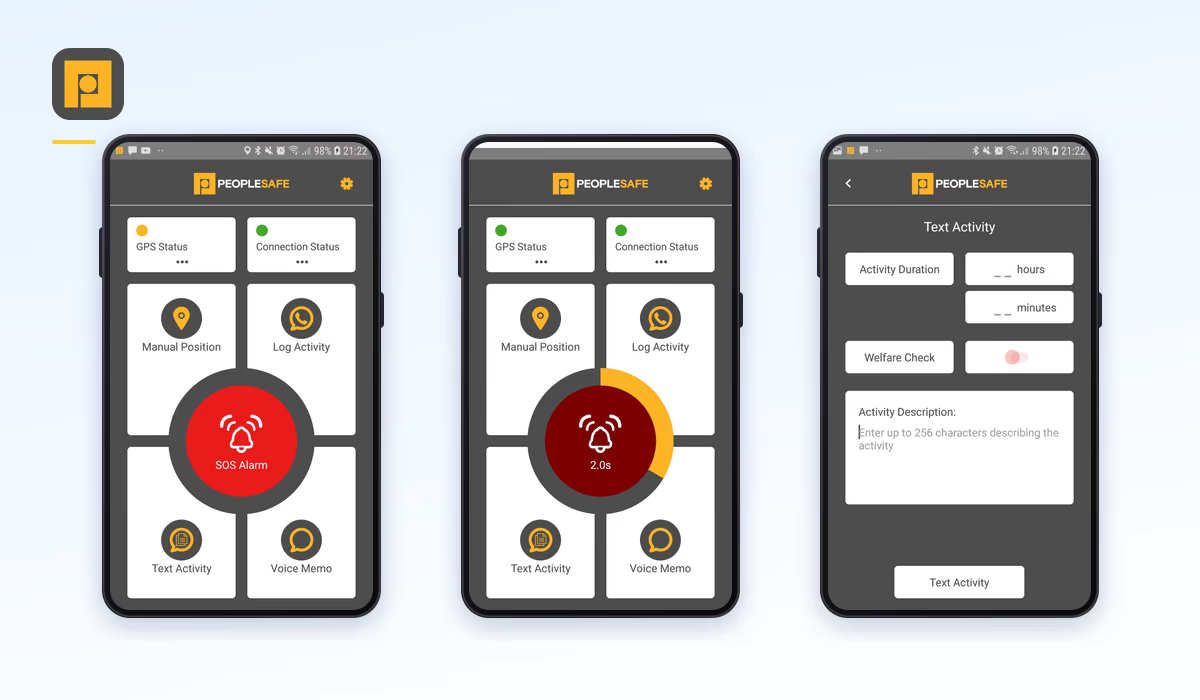
- Broadest hardware range here, spanning app, ID badge devices, fobs, body-worn cameras, ATEX-rated and satellite units.
- what3words integration for more precise location during an emergency.
- Publishes pricing across products, contract terms and volume bands.
What to check
There are several app tiers at different price points, so confirm which one you are being quoted and what it includes. A number of features, including fall detection, check-in and check-out, activity timers and roaming SIM, are priced as separate add-ons, so build the quote up from the configuration your risk assessment needs rather than the entry-level licence.
Best for
Large and public sector rollouts that want one accredited supplier covering apps, devices and specialist hardware.
4. SoloProtect
Overview
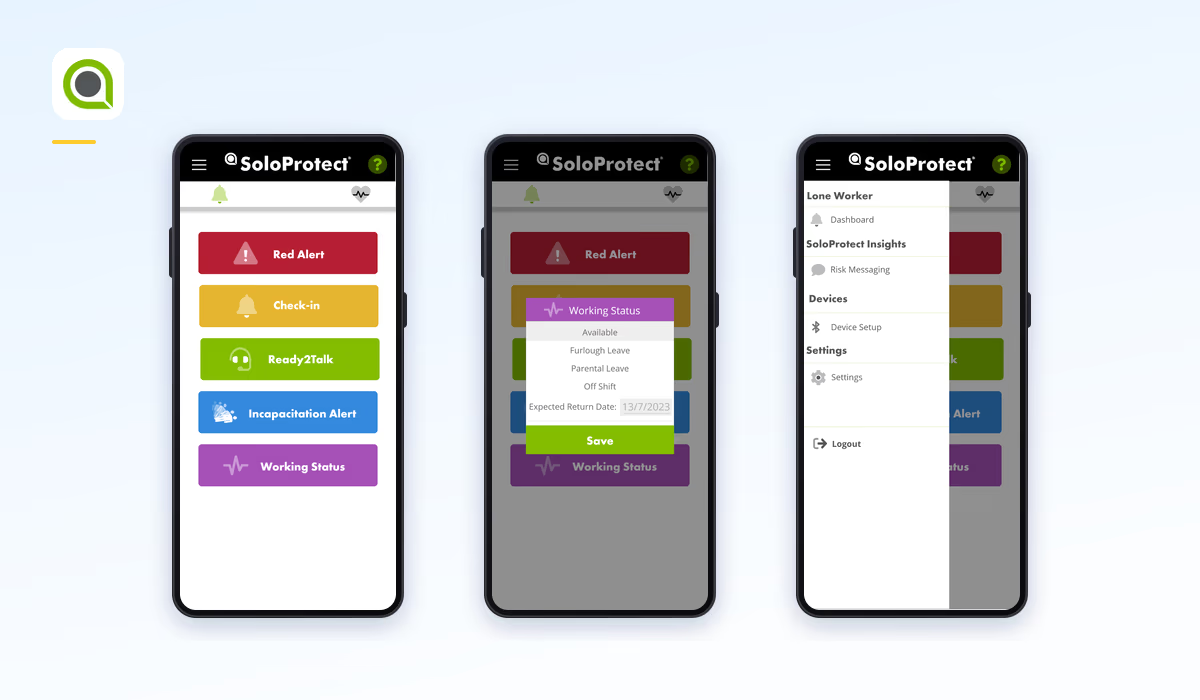
One of the longest-established providers in the category, SoloProtect pioneered the ID badge style device and operates its own Alarm Receiving Centre in Sheffield. Its range now includes screen-based devices alongside the original badge and fob formats.
Strengths
- Runs its own accredited ARC, so monitoring and escalation are under direct control rather than subcontracted.
- The widest choice of discreet wearable formats, which matters in customer-facing roles.
- Long track record in UK lone worker specifically, which carries weight in procurement.
- Hardware, software and monitoring are all in-house.
What to check
SoloProtect has historically led with hardware, so if you want an app-led deployment, confirm the app covers everything you need on its own. Pricing is quote-based rather than published, so ask for a written figure against a specified configuration.
Best for
Deployments where a discreet dedicated device is the primary tool and the app is a secondary channel.
5. Safepoint
Overview
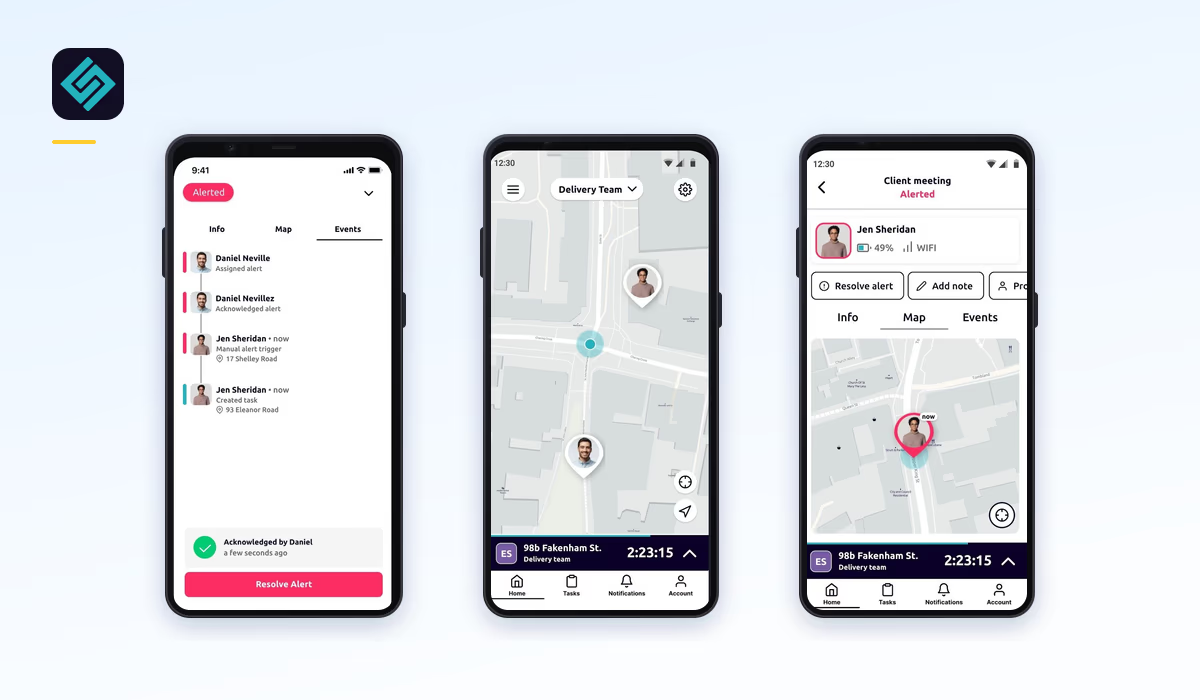
A UK provider offering a lone worker app and a device, accredited to BS 8484:2022, with 24/7 monitoring delivered through a partnership with ADT. Its distinguishing feature is bringing team management into the app itself rather than confining it to a web portal.
Strengths
- Team oversight works from the app, so a manager can see the team from a phone rather than needing to be at a desk.
- Offers both self-monitored and ARC-monitored tiers, so you can choose the escalation model and pay accordingly.
- Free trial available without having to speak to sales first, which is rare here.
- No minimum contract on the monthly option.
- Two-way audio and real-time location tracking as standard.
What to check
The ARC is ADT's rather than Safepoint's own, so confirm the accreditation behind your escalation and what the service level is. Fall detection needs a paired wearable. If you have enterprise security requirements, check single sign-on and two-factor authentication support against your IT policy. Published pricing is on the US storefront, so ask for UK rates in writing.
Best for
Smaller teams that want strong day-to-day team visibility and flexibility over how alerts are handled.
6. LONEALERT
Overview
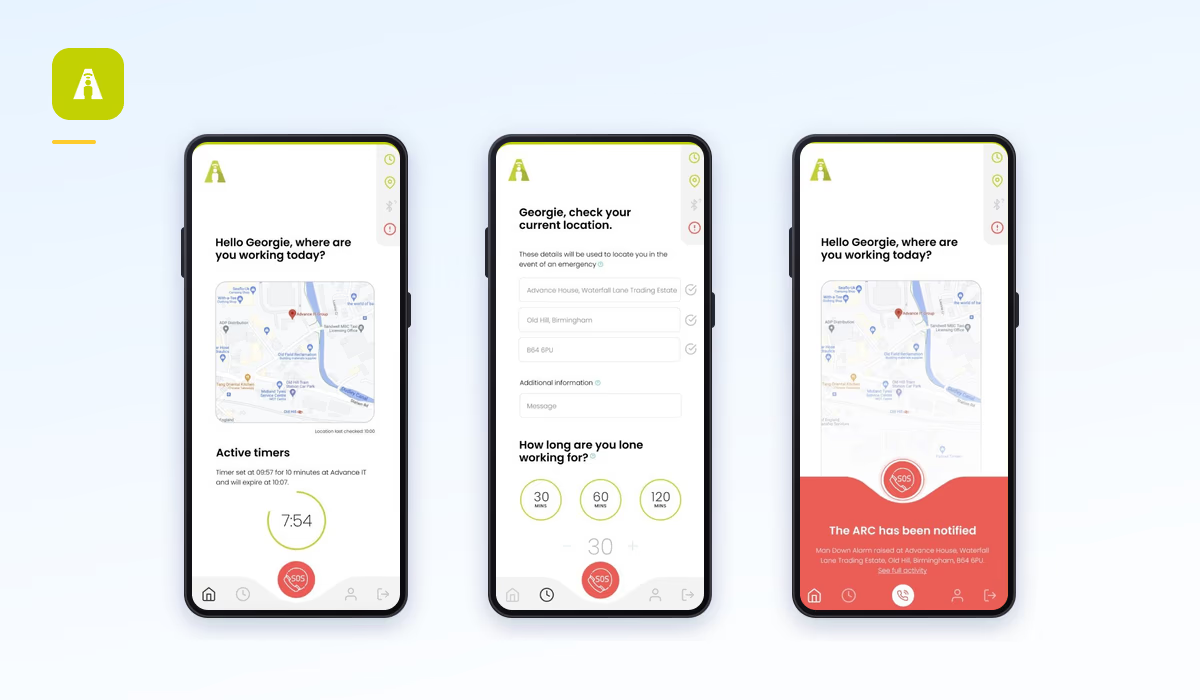
LONEALERT provides the OWL management portal alongside an app and a device range that includes specialist TWIG and ATEX-rated options. It holds BS 8484:2022 accreditation issued by SSAIB and links to an Alarm Receiving Centre.
Strengths
- Highly configurable portal, which suits organisations modelling several distinct risk profiles.
- Specialist device options including intrinsically safe ATEX units for explosive atmospheres.
- Call-based check-in for landline users, which few providers still support.
What to check
Public documentation focuses on the portal and says less about monitoring, so ask specifically which ARC handles alarms, under whose accreditation, and whether URN escalation is included. Pricing is quote-based.
Best for
Organisations needing a configurable portal and specialist hardware for hazardous environments.
7. Mitti (formerly SafetyCulture)
Overview
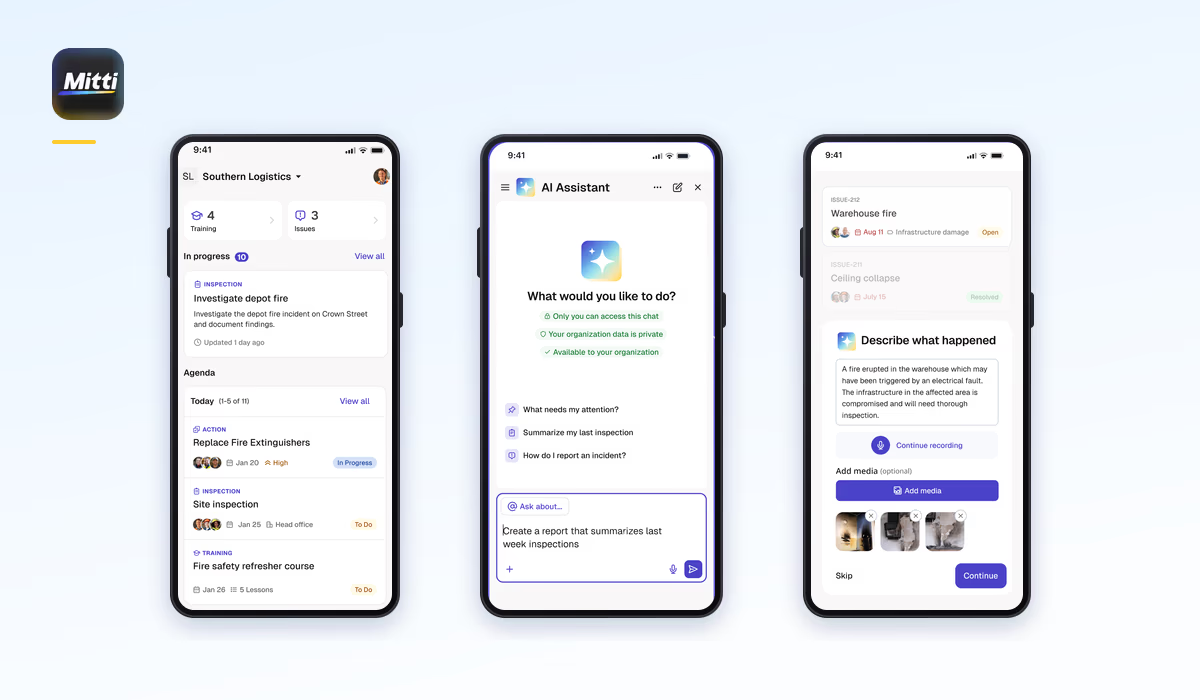
SafetyCulture rebranded as Mitti in August 2026. Its lone worker capability is a module inside a much wider operations and inspections platform, providing check-ins, panic activation, a live map, fall detection and automated escalation to nominated contacts.
Strengths
- Close to zero additional deployment effort if your organisation already runs Mitti or SafetyCulture for audits and inspections.
- Escalation flows map onto operational processes your teams already follow.
- Fall detection is included rather than charged separately.
- One supplier and one login covering inspections, audits and lone worker cover.
What to check
Alerts route to nominated contacts, so if your risk assessment calls for accredited ARC monitoring and URN police escalation, ask directly whether that is available and under what accreditation. Pricing is published in US dollars and the lone worker capability sits inside a broader platform subscription, so confirm UK pricing for the specific configuration you want. Documents and policies referring to SafetyCulture will need updating after the rebrand.
Best for
Organisations already committed to the platform who want lone worker cover without adding a second system.
8. OK Alone
Overview
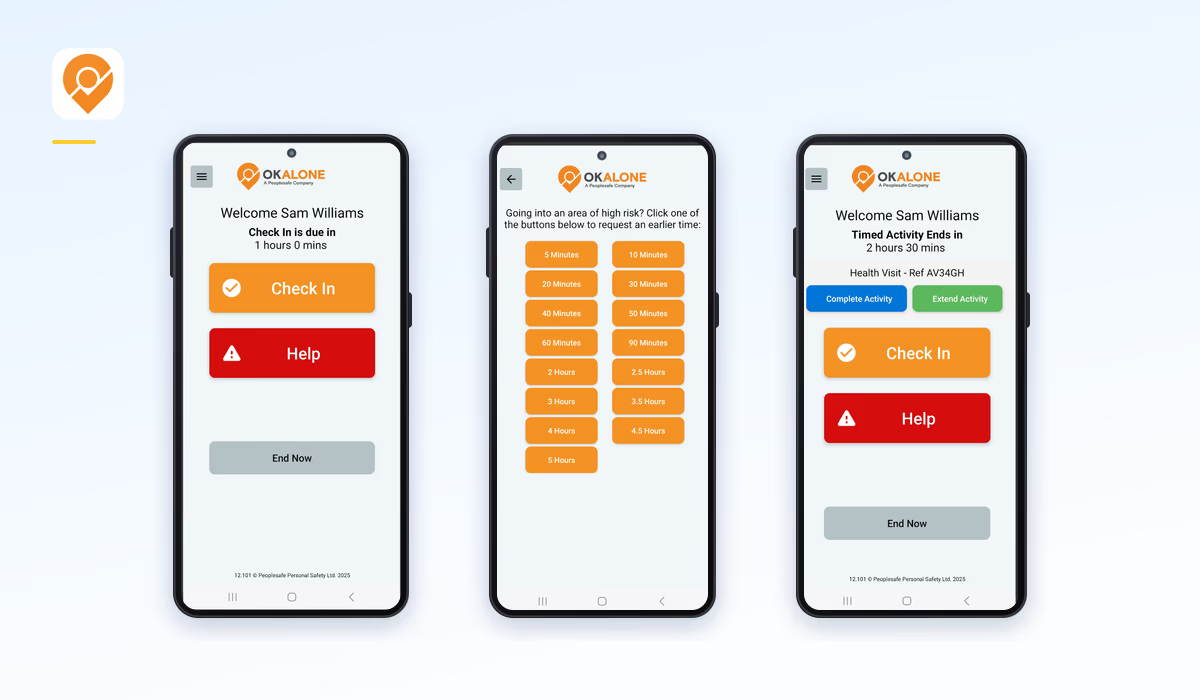
A deliberately lightweight solution offering check-ins by app, SMS or phone call, man-down detection, and optional monitoring centre support. Global rather than UK-focused, and built around self-serve signup.
Strengths
- The fastest self-serve rollout here. You can be running the same day without a sales conversation.
- Check-in by SMS or phone as well as app, useful for workers on basic handsets or in poor data coverage.
- Low-signal modes and voice assistant support.
- Among the lower-cost options, with no long contract.
What to check
Monitoring is optional rather than built in, so confirm what you are getting and whether an accredited ARC and URN escalation are part of it. There is no dedicated hardware and no paired discreet alarm, so check that suits your roles. Rates are not shown on the pricing page, so ask for a written UK figure.
Best for
Small teams wanting cover running today, where accident risk dominates and a self-serve rollout is the priority.
What lone worker apps cost
Most providers in this category do not publish pricing, which makes budgeting harder than it should be. Where you can find figures, entry-level app licences generally sit somewhere between roughly £5 and £10 per user per month, but headline numbers are difficult to compare because they cover very different things.
Three things move the real figure more than the headline does.
Whether monitoring is included. Some published rates cover a self-monitored deployment where alerts go to your own managers, with 24/7 ARC monitoring charged on top. Others include accredited monitoring in the licence. Comparing one against the other without adjusting is the most common pricing mistake buyers make.
Which features are extra. Fall detection, roaming SIMs, activity timers, welfare checks and check-in are frequently separate line items. A configuration that genuinely matches a risk assessment can cost considerably more than the entry licence suggests.
Contract length and volume. Longer commitments and larger deployments reduce the per-user rate substantially across every provider here. Some also charge onboarding separately, sometimes as a percentage of annual contract value, which does not appear in a per-user comparison at all.
Vatix publishes its rates in full. App licences run from £4.50 to £8.50 per user per month excluding VAT depending on team size and contract length, with fall detection, 24/7 accredited monitoring, GPS and Wi-Fi location, the management portal and unlimited manager users all included. There is a five licence minimum. The full breakdown, including Safe Pro devices, is on our pricing page.
When you request quotes elsewhere, give every provider the same specified configuration and the same contract term. It is the only way the answers come back comparable.
How to choose
- Start with your risk assessment. If violence or aggression is a credible risk, you need an accredited ARC with URN police escalation. If accident risk dominates and a manager is always on shift, internal escalation may be appropriate and cheaper.
- Decide app, device, or both. Apps deploy fast onto phones people already carry. Devices suit roles needing something discreet, rugged or separate from a personal phone. Several providers here do only one. Our devices versus apps guide covers this properly.
- List the features you actually need, then check each against the provider's add-on list rather than the headline price.
- Test the edge cases. Ask what happens with no signal, on a locked phone, and on a low battery, because those are the states it will be in when it matters.
- Then compare price on like-for-like configurations over the same term, onboarding included.
Summing up
The right lone worker app is the one that matches your risk assessment, your escalation requirements and the way your teams already work. If you need accredited police escalation, that narrows the field quickly. If you also expect to manage incidents, audits and risk, it is worth deciding early whether those live in one platform or several.
Vatix covers both: a BS 8484:2022 accredited lone worker app and Safe Pro device, monitored 24/7 by accredited UK Alarm Receiving Centres, on the same platform that handles incident reporting, audits and risk. Fall detection, monitoring and the management portal are included with every app licence.
Protect your lone workers with Vatix
Tell us how your teams work and we will price the lone worker app for the configuration your risk assessment actually calls for.
Get a Quote